Small Business Automation: Start with the Tools You Already Use

Updated: Aug 15
When people hear the word “automation,” they often picture complicated software, expensive technology, or a robot taking over everything behind the scenes.
For most small businesses, automation is much simpler than that.
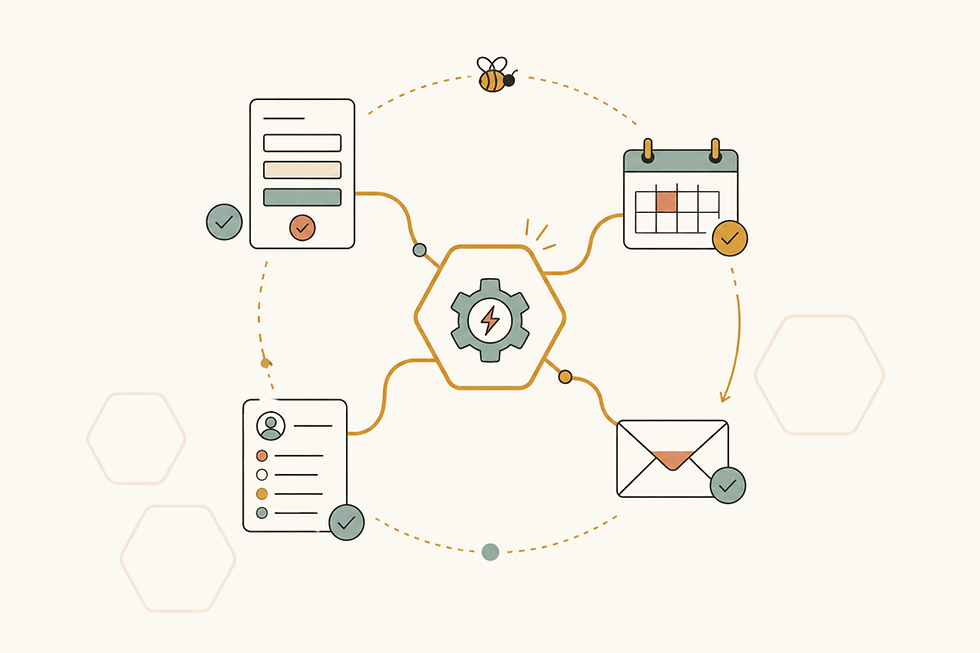
It can be a form that automatically adds information to a spreadsheet. A reminder that appears when it’s time to follow up with a client. An email draft created when a project reaches a certain stage. Or a task that moves to the right person without someone having to remember to assign it.
Small automations like these can remove hours of repetitive work without taking away the personal attention that makes your business special.
And you may not need to purchase an entirely new system to make them happen.
What is business automation?
Business automation means using technology to complete a repeatable action with less manual effort.
Most automations follow a simple pattern:
When this happens, do that.
For example:
When someone submits an inquiry form, add their information to a lead tracker.
When a client’s payment deadline is approaching, create a reminder.
When a project moves to the next stage, prepare the appropriate email.
When a new booking is added, create the related tasks and deadlines.
When information is updated in one place, update it somewhere else too.
The automation handles the predictable step. You still make the decisions, communicate with your clients, and provide the experience they hired you for.
Automation should solve a real problem
It’s easy to get distracted by all the things technology can do. But an automation is only helpful when it solves an actual problem in your business.
Before choosing a tool or building anything, start by identifying the task that creates the most frustration.
Look for work that is:
Repetitive
Time-consuming
Easy to forget
Prone to mistakes
Based on a predictable trigger
Requiring the same information to be entered more than once
These are usually the strongest opportunities for automation.
If you send the same follow-up after every consultation, that may be worth automating. If you manually transfer every form submission into a tracker, that may be worth automating too.
A task doesn’t have to take hours to matter. Something that takes five minutes but happens several times each week can quietly consume a surprising amount of your time.
Start with the tools you already use
One of the biggest misconceptions about automation is that you have to replace your current systems or subscribe to a collection of new apps.
You often don’t.
Many of the tools small businesses already use include automation features that are overlooked or underused. Forms, spreadsheets, email platforms, calendars, project-management systems, CRMs, invoicing software, and scheduling tools may already be capable of sharing information, creating reminders, or triggering the next step in a process.
The better question isn’t always:
“What new software should I buy?”
Sometimes it’s:
“What could the tools I already use be doing for me?”
That’s where a thoughtful automation strategy begins.
Practical ways small businesses can use automation
Automation doesn’t have to be elaborate to make a meaningful difference.
Here are a few examples of what it might look like in an everyday small business.
Lead and inquiry follow-up
A new inquiry can be automatically added to a lead tracker with the person’s contact information, submission date, requested service, and next action.
The system could also create a follow-up reminder or prepare an email response so the inquiry doesn’t sit unnoticed in an inbox.
Client onboarding
Once someone becomes a client, an automation can create their project, assign the appropriate tasks, calculate deadlines, and prepare the documents or messages needed for onboarding.
Instead of rebuilding the process every time, the essential steps are ready to go.
Forms and information collection
Information submitted through a form can flow directly into a spreadsheet, tracker, or client record.
This reduces copying and pasting, prevents transcription errors, and makes the information easier to find later.
Email drafts and reminders
Automation doesn’t always have to send an email without your involvement.
It can create a draft using the correct template and client information, then leave it for you to review, personalize, and send. This saves time while keeping you in control of the communication.
Project and deadline tracking
Tasks can be created based on dates, project stages, or client activity. Reminders can appear when something needs attention, and dashboards can highlight work that is overdue or coming up soon.
That means fewer deadlines depend entirely on someone remembering them.
Repetitive administrative tasks
Automations can also help organize files, update statuses, record completed actions, generate routine documents, or move information between connected systems.
These aren’t always the most exciting parts of running a business, but they are often where the most time can be saved.
What shouldn’t be automated?
Just because something can be automated doesn’t mean it should be.
Personal conversations, unusual situations, sensitive client concerns, and decisions that require judgment are usually better handled by a real person.
Automation also shouldn’t create extra confusion. If a process changes frequently or has too many exceptions, forcing it into a rigid automation may cause more problems than it solves.
The best automations work quietly in the background. They handle predictable steps while leaving room for you to think, adapt, and connect with your clients.
Keep the human part human
Small businesses often build their reputation through relationships, personal service, and attention to detail. Automation shouldn’t replace those qualities.
It should support them.
A reminder can help you follow up at the right time. A prepared email draft can give you more time to personalize your message. A clear client tracker can help you remember important details about the people you serve.
When repetitive administrative work takes up less of your day, you have more time and energy for the parts of your business that genuinely need you.
Start with one repeated task
You don’t need to automate your entire business at once.
Choose one task you regularly repeat and ask:
What causes this task to begin?
Do I follow the same steps every time?
What information is needed?
Where does that information currently live?
Which parts require my judgment?
Which parts are predictable?
Can one of my current tools handle those predictable steps?
Starting small allows you to solve one real problem, make sure the automation works well, and build from there.
Build automation around your business
At HoneyComb Workflow Studio, I don’t begin with a specific app or a prebuilt system.
I begin with your business.
I look at what you’re doing now, which tools you already use, where work is getting stuck, and which tasks are taking more time than they should. From there, I build practical automations and connected workflows that fit the way your business actually operates.
That might mean connecting a form to a tracker, creating a better follow-up system, building email drafts, setting up project templates, or helping your current software communicate more effectively.
No unnecessary collection of new tools. No automation just for the sake of automation.
Just thoughtful systems that make the work easier.
What do you wish could happen automatically?
Think about the task you’ve completed so many times that you could practically do it in your sleep.
That’s probably a good place to start.
You don’t need to know how to automate it or which technology would work best. Tell me what you’re doing now, what makes it frustrating, and what you wish would happen instead.
I’ll help you figure out what’s possible.


Comments