Your To-Do List Isn’t the Problem. Your System Might Be.

You write something on a sticky note. Flag an email so you remember to come back to it. Add an appointment to your calendar. Send yourself a quick text. Tell yourself, “I’ll remember that later.”
Then later arrives, and you’re trying to remember where you put the information, what needed to happen next, and whether you ever followed up.
If that sounds familiar, you probably don’t need another to-do list. You need a better system for keeping everything connected.

A Task List Can Only Do So Much
A basic to-do list is helpful when you just need to remember a few things. But running a business involves more than checking off isolated tasks.
Your work probably includes:
Clients moving through different stages.
Follow-ups that need to happen on specific dates
Information stored in emails, forms, spreadsheets, and other programs.
Tasks that depend on someone else finishing something first.
Processes that repeat every time you gain a new client, receive an order, or begin a project.
When those pieces are scattered, your brain becomes the thing holding everything together.
You have to remember where the information lives, what has already been done, what needs to happen next, and when you need to check on it again. That is exhausting, especially when you are already managing everything else that comes with running a business.
A useful task-management system should take some of that responsibility off your shoulders.
What Should a Task-Management System Actually Do?
The goal is not to create the fanciest setup or use the most complicated technology. The goal is to make your work easier to see, understand, and manage.
A well-designed system should help you answer a few important questions without having to search through five different places:
What needs my attention today?
What is coming up next?
Am I waiting on someone or something?
Has this client received a follow-up?
Where can I find the information I need?
Is anything falling behind?
More importantly, it should help move the work forward.
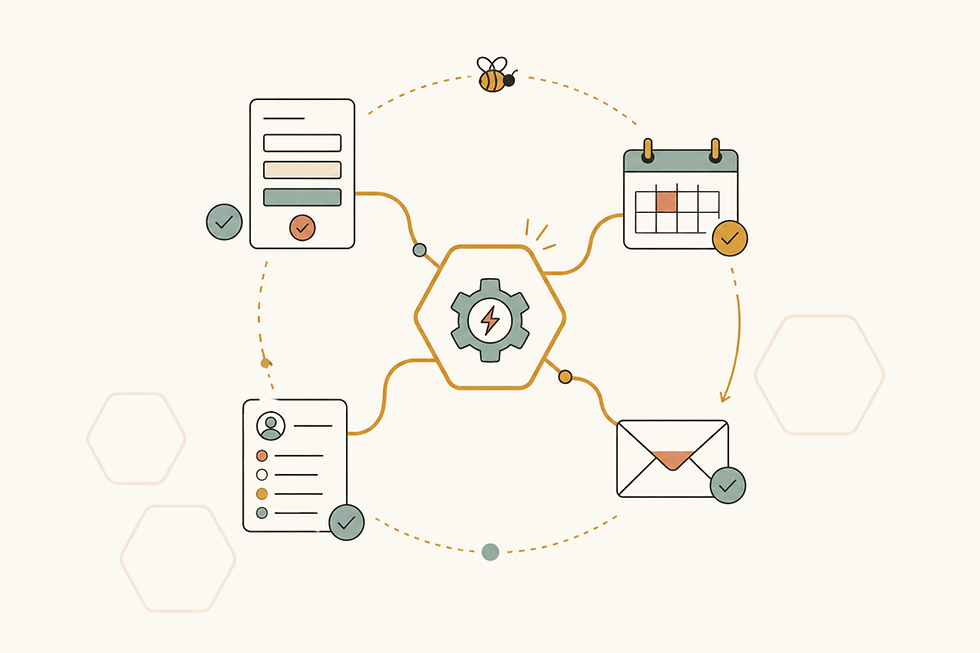
For example, when a potential client submits an inquiry form, that information could automatically be added to your client tracker. A follow-up date could be calculated for you. The right email template could be connected to the client’s current stage. Your dashboard could then show that follow-up when it needs your attention.
Instead of relying on memory, the system helps guide you through the process.
Your System Should Match the Way You Work
One of the biggest mistakes businesses make is trying to force their processes into a program that was not set up for the way they actually operate.
You download a popular app, watch a few tutorials, and start building. Before long, you are spending more time maintaining the system than using it.
Important information still lives somewhere else, your team develops workarounds, and the new tool becomes one more thing to check.
That does not necessarily mean the program is bad. It may simply mean it was never customized around your business.
A travel advisor and an HVAC company may both need task management, but their workflows look completely different.
A travel advisor might need to track proposals, booking documents, final-payment deadlines, itineraries, and pre-travel emails.
An HVAC company might need to track service appointments, parts on order, installation dates, warranties, maintenance plans, and outstanding invoices.
The right system considers those differences. It reflects the stages your work actually moves through, the information you need at each stage, and the steps that should happen next.
It Might Not Require Another App
When work feels disorganized, it is tempting to assume you need new software. Sometimes you do. But sometimes the tools you already use are capable of much more than you realize.
A spreadsheet can become a working dashboard instead of a static list.
A form can send information directly where it needs to go.
Your email can help create reminders or prepare drafts.
A project-management tool can automatically assign the next task when a status changes.
Two programs you already use may be able to share information so you do not have to enter it twice.
Before paying for another subscription, it is worth looking at your current tools and asking:
What information are we entering repeatedly?
What tasks happen the same way every time?
Where do things most often get forgotten?
Which parts of the process still depend entirely on someone’s memory?
What are we doing manually that our technology could handle for us?
The answers often reveal opportunities to make work easier without replacing everything.
Ready for a Better System?
If your to-do list is growing but things are still slipping through the cracks, let’s take a look at what isn’t working. You don’t have to know what kind of system you need. We’ll figure it out together!
Book a Free Workflow Clarity Call 👇


Comments